
Apps that sleep when nobody uses them are cheap to run, but the first visitor after a quiet spell waits while the app starts. How long that wait is depends mostly on the runtime and framework you picked. We measured it: the time from docker run to the first successful response, for the same one-route app in six stacks, 9 times each.
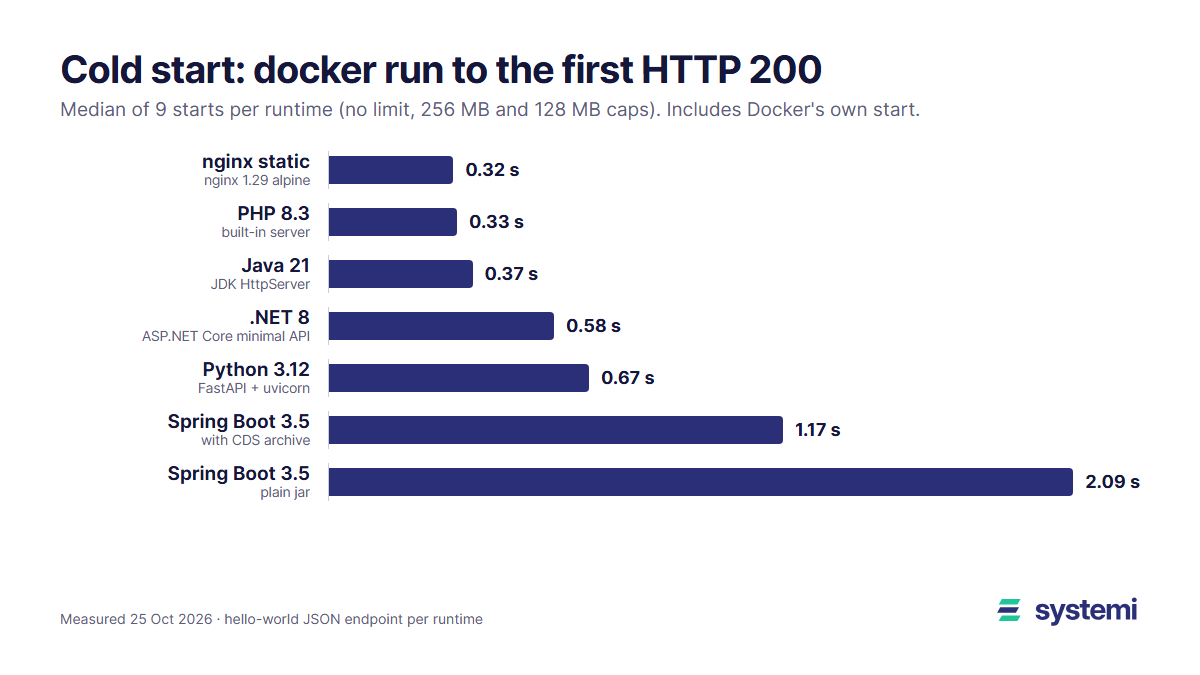
Short version: PHP and plain Java answer in about a third of a second, barely slower than a static nginx site. .NET and FastAPI take 0.6 to 0.7 s. Spring Boot takes 2.1 s, and a class data sharing (CDS) archive brings that down to 1.17 s. Memory limits of 256 MB and 128 MB made no difference to start times.
How we measured
Each app answers GET / with {"hello":"world"}. The clock starts right before docker run -d and stops at the first 200 from a loop that polls every 10 ms. That includes Docker creating the container, the network and the port mapping, so it is the full wait a sleeping app's first visitor sees, minus any proxy in front. A static nginx site shows the floor: about 0.3 s of the total is Docker's own work.
The results
| Runtime | Stack | Median | Fastest | Slowest |
|---|---|---|---|---|
| nginx 1.29 | static file | 0.32 s | 0.28 s | 0.58 s |
| PHP 8.3 | built-in server | 0.33 s | 0.29 s | 0.34 s |
| Java 21 | JDK HttpServer | 0.37 s | 0.36 s | 0.43 s |
| .NET 8 | ASP.NET Core minimal API | 0.58 s | 0.55 s | 0.65 s |
| .NET 8 | same, published ReadyToRun | 0.59 s | 0.52 s | 0.70 s |
| Python 3.12 | FastAPI 0.120 + uvicorn 0.38 | 0.67 s | 0.63 s | 0.75 s |
| Java 21 | Spring Boot 3.5 + CDS archive | 1.17 s | 1.11 s | 1.36 s |
| Java 21 | Spring Boot 3.5, plain jar | 2.09 s | 1.78 s | 2.44 s |
Take Docker's ~0.3 s away and the runtimes themselves need almost nothing for PHP, about 0.05 s for plain Java, about 0.25 s for .NET, 0.35 s for FastAPI and 1.8 s for Spring Boot. The JVM isn't slow to start; Spring is, because it scans the classpath, builds its application context and starts an embedded Tomcat.
Memory limits don't slow the start
| Runtime | No limit | 256 MB | 128 MB |
|---|---|---|---|
| PHP 8.3 | 0.33 s | 0.32 s | 0.33 s |
| Java 21, HttpServer | 0.37 s | 0.37 s | 0.36 s |
| .NET 8 | 0.63 s | 0.58 s | 0.57 s |
| Python 3.12, FastAPI | 0.73 s | 0.66 s | 0.65 s |
| Spring Boot 3.5 + CDS | 1.20 s | 1.12 s | 1.22 s |
| Spring Boot 3.5 | 2.10 s | 2.15 s | 1.84 s |
Medians of 3 runs each. The differences are within run-to-run noise. Even Spring Boot at 128 MB, where the JVM picks a 64 MiB heap, started as fast as with no limit. A small container makes an app slower only when the app actually runs short of memory under load, not at start.
What made Spring Boot faster: a CDS archive
Class data sharing lets the JVM load pre-parsed classes from an archive instead of reading and verifying them from the jar on every start. Spring Boot 3.3 and later can extract the jar and write that archive in a training run that stops as soon as the application context is ready. These are the lines we added to the Dockerfile:
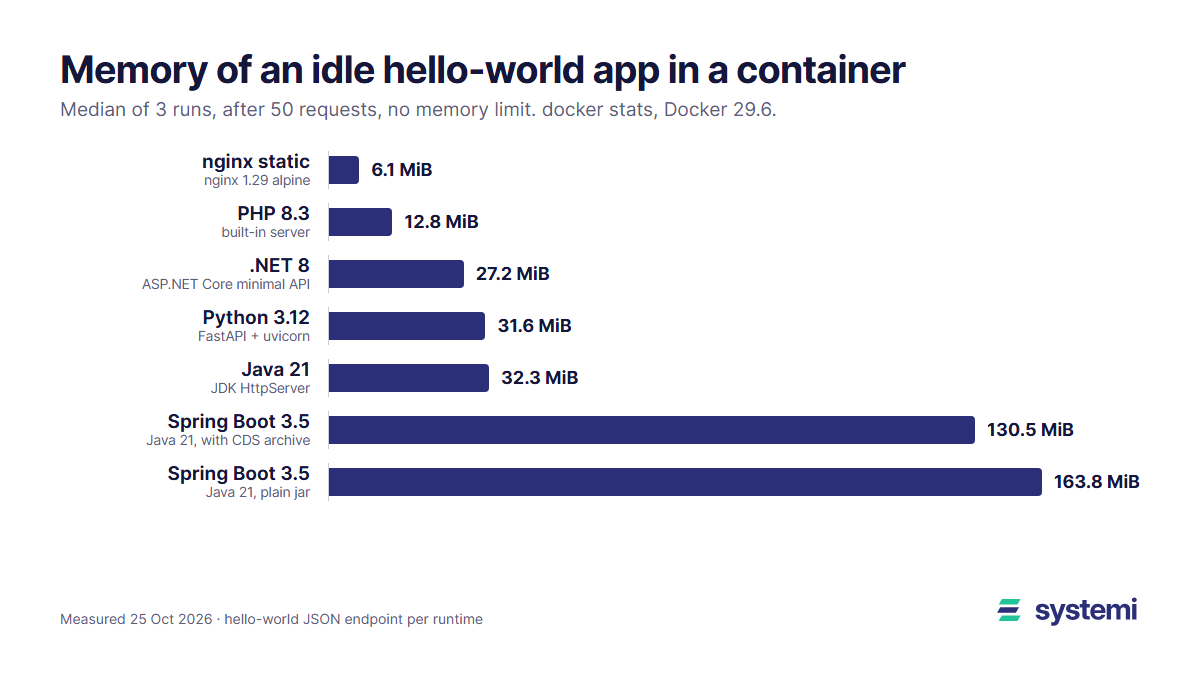
The result: 2.09 s down to 1.17 s (44% less), and idle memory from 164 MiB to 131 MiB with no limit, since shared classes take less heap. The price is 80 MB more image (576 MB against 496 MB) and a build step that starts your app once, so the training run must not need a database or other services, or must be able to start without them.
What didn't help: ReadyToRun for .NET
ReadyToRun compiles your assemblies ahead of time so less code is JIT-compiled at start. For our minimal API it changed nothing: 0.58 s against 0.59 s, the image stayed at 321 MB. That is expected for a tiny app, because the ASP.NET Core framework itself already ships precompiled, and the only code left to compile is a few lines of ours. ReadyToRun pays off in large apps with a lot of their own code; measure before you add it.
Where Python's time goes
Python itself starts in milliseconds; the imports are the cost. Importing fastapi and uvicorn alone took 0.38 to 0.42 s in the same image (three runs), against about 0.01 s for json. That is more than half of FastAPI's 0.67 s cold start. Every library you import at the top of main.py adds to it: if a heavy module (a PDF library, pandas, an ML model) is used by only one route, import it inside that route so the first request after a wake doesn't pay for it.
What to take from it
If your app sleeps when idle, the runtime decides most of the first visitor's wait. PHP, plain Java and static sites wake in about a third of a second including the container start, which nobody notices. .NET and FastAPI add a quarter to a third of a second more. Spring Boot's 2 seconds is noticeable, so either add a CDS archive (it halved the wait here), keep a Spring app awake, or measure what your own app's context costs. Your real app will be slower than a hello-world: database pools, migrations at start and big dependency trees all add up, so time your own docker run to first 200 the same way.
systemi runs PHP, Python, Java, .NET and static apps, each in its own container with its own PostgreSQL database and a free subdomain.
See how deploys work