
Every PostgreSQL connection is its own operating system process, so every connection your app holds open costs memory on the database server, whether it runs a query or not. How much? Figures you find online range from a few hundred kilobytes to 10 MB and more, mostly because they measure different things. So we measured it on PostgreSQL 18: 1 to 300 connections, idle and busy, with and without a memory limit, and once more behind PgBouncer.
Short version: an idle connection costs about 1.3 MiB of its own memory and 1.56 MiB of container memory. One that has read 100 tables costs about 3.4 MiB. 64 busy connections were enough to get a Postgres container with a 256 MB limit killed, taking every connection with it. 200 clients through PgBouncer used 132 MiB in total, against 715 MiB connected directly.
How we measured
We ran the official postgres:18 image (PostgreSQL 18.6) with default settings except max_connections=320, opened connections from a Python client (psycopg2) over the published port, and read two things after each step: docker stats for the whole container, and /proc/<pid>/smaps_rollup for every client backend process. Each test ran 3 times; tables show medians.
Idle connections: 1.56 MiB each
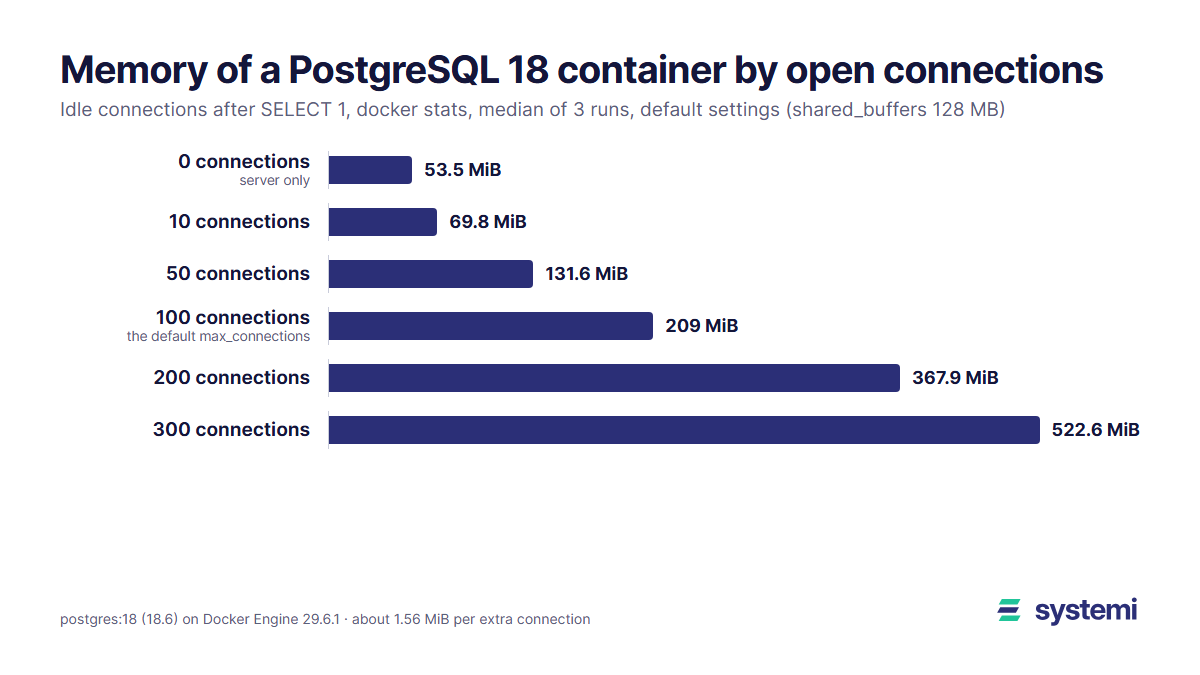
Opening connections and leaving them idle grows the container in a straight line. From 10 connections on, each extra one adds 1.55 to 1.63 MiB:
| Open connections | Container memory | Added per connection | Private memory per backend |
|---|---|---|---|
| 0 | 53.5 MiB | ||
| 1 | 55.6 MiB | 2.10 MiB | 1.31 MiB |
| 10 | 69.8 MiB | 1.63 MiB | 1.28 MiB |
| 50 | 131.6 MiB | 1.56 MiB | 1.28 MiB |
| 100 | 209.0 MiB | 1.55 MiB | 1.28 MiB |
| 200 | 367.9 MiB | 1.57 MiB | 1.28 MiB |
| 300 | 522.6 MiB | 1.56 MiB | 1.28 MiB |
The 100 row is the default max_connections. A stock Postgres with every connection slot filled by idle clients needs about 155 MiB more than one with none, before any query runs.
Why top shows 15 MiB per connection
If you look at one backend in top or ps, you'll see about 15 MiB resident, and 300 of them would make 4.6 GB. The container used 469 MiB more for those 300. The difference is shared memory: every backend maps Postgres's shared buffers and shared code, and RSS counts every shared page a process has touched, again for every process. This is one idle backend, after SELECT 1:
Private memory (Private_Clean + Private_Dirty) is what a connection really adds: 1.28 MiB in the idle test. The container grows by about 0.3 MiB more per connection than that, for the kernel's page tables of each process and shared memory pages each new backend touches. If you want one number to plan with, use the container growth, 1.56 MiB, not RSS. Postgres can also show what it has allocated inside one session: SELECT sum(total_bytes) FROM pg_backend_memory_contexts gave 1.46 MiB for an idle session, most of it the 1 MB CacheMemoryContext.
Busy connections: 3.4 to 3.8 MiB each
An idle connection that has only run SELECT 1 is the best case. Real app connections read many tables, and each backend caches what it learns about them: table and index definitions, column types, query plans. That cache belongs to the connection and stays for its life. We opened 50 fresh connections per workload:
| Workload on each of 50 connections | Container memory | Added per connection | Private memory per backend | Memory contexts, one session |
|---|---|---|---|---|
| SELECT 1 only | 136.7 MiB | 1.66 MiB | 1.28 MiB | 1.46 MiB |
| read all 100 tables (one count(*) each) | 221.7 MiB | 3.36 MiB | 2.98 MiB | 3.14 MiB |
| prepare and execute 50 statements | 243.5 MiB | 3.80 MiB | 3.39 MiB | 4.17 MiB |
Reading 100 tables once doubled the cost of a connection, to 3.36 MiB. Prepared statements add their plans on top: 50 of them took a connection to 3.80 MiB. Drivers and ORMs that prepare statements on their own (many JDBC and .NET setups do after a few executions) end up here, and a long-lived connection in a big schema keeps growing as it meets more tables.
What happens at the memory limit
In a container with a memory limit, the limit is shared by the server and every connection. We started Postgres with --memory 256m and opened busy connections, 10 at a time, each reading the 100 tables:
| Busy connections | Container memory (256 MB limit) |
|---|---|
| 0 | 51.0 MiB |
| 10 | 84.4 MiB |
| 20 | 117.6 MiB |
| 30 | 150.8 MiB |
| 40 | 184.0 MiB |
| 50 | 217.2 MiB |
| 60 | 247.6 MiB |
| 65 | killed |
Opening the 65th connection pushed the container over its limit. The kernel's out-of-memory killer picked the main postgres process, not the new connection, so the server went down and all 64 open connections were dropped (server closed the connection unexpectedly). Every backend's last log line is FATAL: terminating connection due to unexpected postmaster exit, and Docker marks the container OOMKilled: true. With no restart policy, nothing came back.
Idle connections hit the same wall later: a run with --memory 512m held 200 idle connections at 367 MiB and was killed on the way to 300, which needs 523 MiB. The arithmetic predicts both: (256 - 51) / 3.32 MiB is 62 busy connections, and (512 - 53.5) / 1.56 MiB is 294 idle ones.
This is why max_connections should come from the memory you have, not from whatever number makes the "too many clients" error go away. A connection refused by max_connections is an error in one request; a connection that pushes the server out of memory takes the whole database down.
Sorts and hashes come on top
Everything above is memory a connection holds while it waits. While a query runs, each sort or hash step may use up to work_mem (4 MB by default) before it spills to disk, hash steps up to hash_mem_multiplier (2.0) times that, and the PostgreSQL docs warn that one query can run several such steps at once. Parallel query multiplies it again: by default a query can use 2 parallel workers besides itself, each with its own work_mem. We sorted a 66 MB table of 1,000,000 rows (an integer and an md5 text) and joined it to itself:
| work_mem | Sort 1M rows by text | Hash join 1M x 1M |
|---|---|---|
| 4MB (default) | external merge, 36.2 MB on disk | 8 batches, 7.0 MB in memory |
| 16MB | external merge, 36.2 MB on disk | 1 batch, 47.4 MB in memory |
| 64MB | quicksort, 24.6 MB in memory | 1 batch, 47.4 MB in memory |
Note the hash join at 16MB: 47 MB in memory, three times the setting, because a parallel hash join shares a budget of work_mem x hash_mem_multiplier x 3 processes. Then we ran the sort on 20 connections at once and polled the container's anonymous memory every 20 ms:
| 20 concurrent sorts | Before | Peak | Added per query | Wall time |
|---|---|---|---|---|
| work_mem 4MB | 54.6 MiB | 457.3 MiB | about 20 MiB | 11.7 s |
| work_mem 64MB | 54.7 MiB | 1,495.9 MiB | about 72 MiB | 12.4 s |
Raising work_mem from 4 MB to 64 MB made 20 concurrent sorts use 1 GB more memory and finish no faster: on 6 CPUs the CPU was the limit, not the disk. A bigger work_mem helps a single large report; for an app with many small concurrent queries it mostly raises the peak. If one report needs more, set it for that transaction only with SET LOCAL work_mem = '64MB'.
PgBouncer: 200 clients on 20 server connections
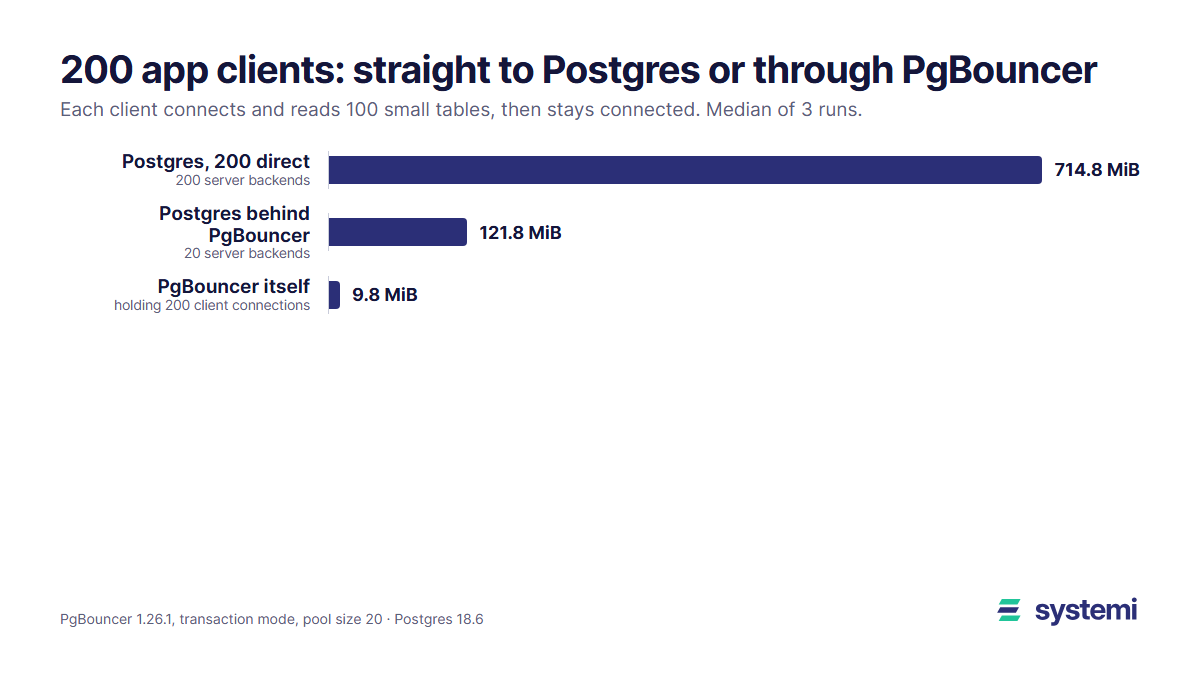
A connection pooler holds many client connections and shares a few server connections between them. We ran PgBouncer 1.26.1 in transaction mode with a pool of 20 (its default default_pool_size), connected 200 clients at once, had each read the 100 tables, and left them connected. Then the same 200 clients straight to Postgres:
| 200 clients, 100 tables each | Server backends | Postgres memory | PgBouncer memory | Total | Time for all 200 clients |
|---|---|---|---|---|---|
| straight to Postgres | 200 | 714.8 MiB | 714.8 MiB | 3.75 s | |
| through PgBouncer, pool 20 | 20 | 121.8 MiB | 9.8 MiB | 131.6 MiB | 1.90 s |
The pooled setup used 583 MiB less and finished in half the time, because 180 fewer backend processes had to start and build their caches. PgBouncer's own cost is tiny: 7.9 MiB empty, 9.8 MiB with 200 clients. The catch is transaction mode itself: a client holds a server connection only for one transaction, so session state does not follow it. Session SET commands, advisory locks held across transactions, LISTEN and temporary tables kept between transactions don't work as expected; protocol-level prepared statements do (max_prepared_statements, 200 by default).
How many connections does your app need?
Your app's connections are the product of three numbers: instances x worker processes x pool size per worker. A Python app with 2 containers, 4 uvicorn workers each and a pool of 5 holds 40 connections. With the busy figure:
And the other way round, how many connections fit in a database container. A conservative estimate leaves room for the server (53.5 MiB measured) and lets shared_buffers fill to its full 128 MB, which it will as your data gets used:
| Database memory | Left for connections | Idle (1.56 MiB) | Busy (3.36 MiB) |
|---|---|---|---|
| 256 MB | 74.5 MiB | 47 | 22 |
| 512 MB | 330.5 MiB | 211 | 98 |
| 1 GB | 842.5 MiB | 540 | 250 |
| 2 GB | 1,866.5 MiB | 1,196 | 555 |
Then keep part of that free for work_mem during queries. Most small web apps never run more than a handful of queries at the same moment, so a pool of 2 to 5 connections per process is enough; a request waiting for a free connection waits milliseconds. If you need more clients than the database can hold, put a pooler in front instead of raising max_connections.
Connections on systemi
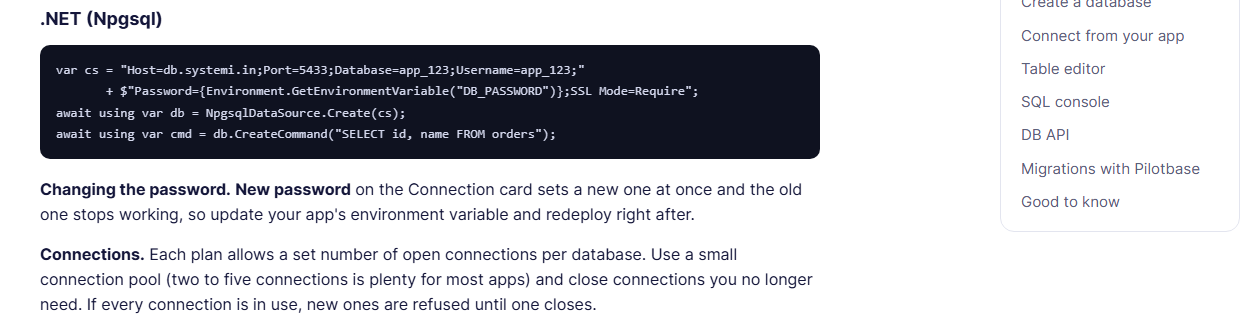
Every app on systemi gets its own PostgreSQL database and user, and each plan allows a set number of open connections per database, so one app's pool can't use up memory another app needs. A small pool is the right setup for it, as the numbers above show.
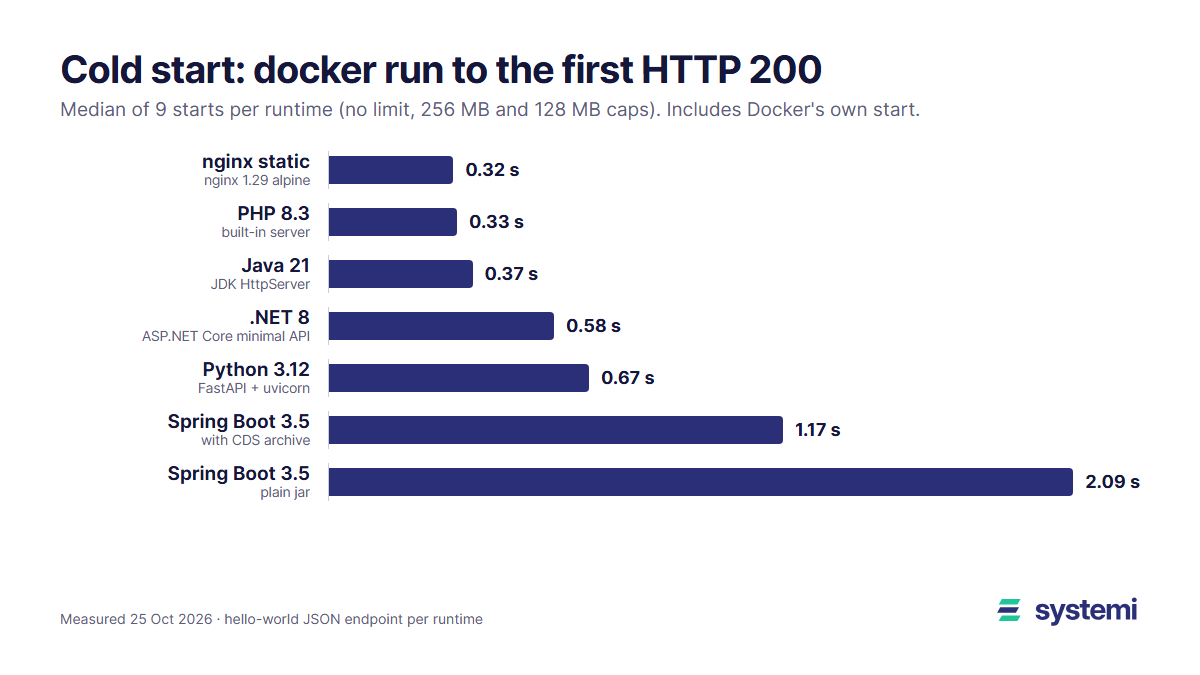
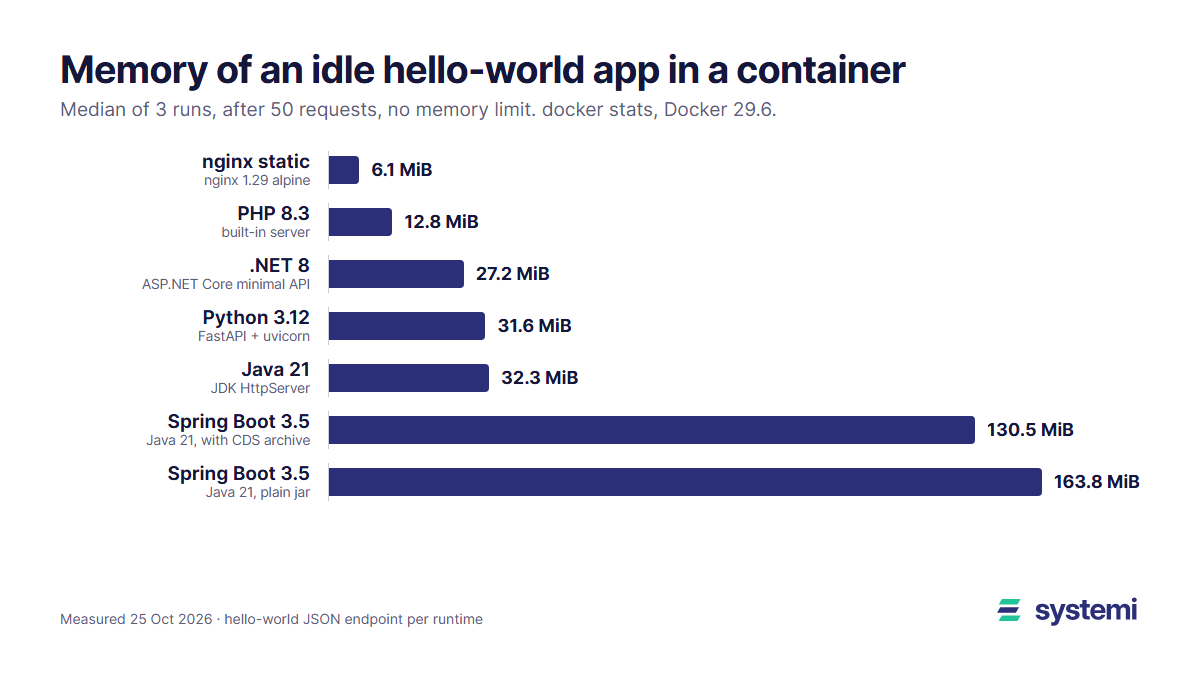
For the app side of the same sizing question, see what the runtimes themselves take in How much memory does a web app need?, and how long they need to answer after a wake in Cold starts measured.
Sources: our own tests on 25 October 2026; PostgreSQL 18 documentation, Resource Consumption (shared_buffers, work_mem, hash_mem_multiplier defaults) and Connections and Authentication (max_connections default 100); PgBouncer configuration (default_pool_size 20, max_prepared_statements 200).
systemi runs your app in its own container with its own PostgreSQL database, the connection string ready in the console.
Read the databases guide